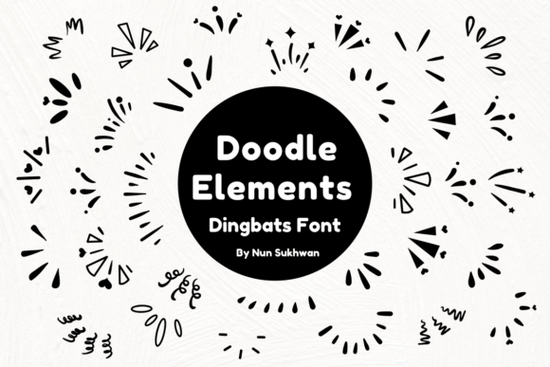
If you're working on a project that calls for hand-drawn charm like wedding stationery, party decor, or custom merchandise you’ve probably searched for graphics that feel personal and playful without looking messy. That’s where Doodle Elements Font comes in handy. It’s not a traditional letter font but a dingbat collection filled with sketched icons and motifs, all drawn in a loose, organic style that mimics real handwriting and doodling.
Unlike clipart packs that require resizing or layering in design software, this font works like any other typeface you just type a character, and an icon appears. This makes it incredibly fast to use in Canva, Adobe Illustrator, Silhouette Studio, or even Microsoft Word. Whether you’re adding floral sprigs to a birthday card or sketch-style arrows to a planner layout, Doodle Elements gives you consistent, scalable graphics with zero hassle.
What kinds of projects work best with Doodle Elements?
This font shines in handmade-inspired designs where personality matters more than polish. Think:
- Wedding invitations and place cards – Use tiny hearts, rings, or floral clusters as decorative accents.
- DIY home decor – Stencil quotes onto wood signs with leafy borders or whimsical stars.
- Print-on-demand products – Add subtle doodle frames to mugs, tote bags, or phone cases for a boutique feel.
- Scrapbooking and journaling – Quickly insert dividers, banners, or bullet-point symbols without switching tools.
- Logo concepts for small businesses – Especially bakeries, florists, or craft studios that want a friendly, approachable look.
Because the elements are vector-based (thanks to being a font), they scale cleanly for both digital screens and high-resolution printing no pixelation or blurry edges.
How does it compare to other sketch-style dingbat fonts?
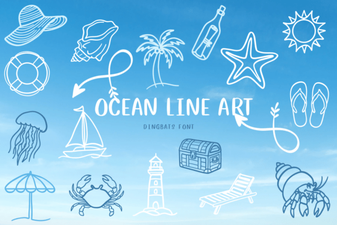
Creative Fabrica offers several hand-drawn dingbat fonts, each with its own mood. For example, if your project leans coastal or nautical, you might also consider the Beach Icon Collection, which includes seashells, anchors, and flip-flops. Or if you prefer minimalist line drawings over sketchy textures, the Ocean Line Art Font delivers clean, continuous strokes ideal for modern branding.
Doodle Elements stands out because of its intentional imperfection the lines wobble slightly, ends taper unevenly, and shapes feel casually drawn, not digitally perfect. That “just scribbled it down” vibe is hard to replicate with standard vectors, making this font especially useful when you want warmth and authenticity.
Tips for using Doodle Elements effectively
Since every glyph maps to a keyboard character, it helps to open the font in your system’s character map (or use Creative Fabrica’s built-in preview) to see what’s included. You’ll find everything from arrows and stars to flowers, leaves, frames, and abstract swirls.
A few practical pointers:
- Pair it with simple sans-serif fonts. Let the doodles be the visual focus avoid competing with ornate or script typefaces.
- Use color thoughtfully. These elements look great in muted tones (sage green, terracotta, soft gray) but can also pop in black ink for contrast.
- Don’t overcrowd. A single doodle accent often works better than filling every corner. White space lets the sketch style breathe.
- Combine glyphs creatively. Stack two leaves to make a wreath, or repeat a small star to form a border since they’re fonts, alignment is precise.
One thing to note: because it’s a dingbat font, you won’t type readable words with it. Always double-check your layout to ensure you’re placing the right symbol in the right spot!
Who should try this font?
If you regularly create physical or digital goods that benefit from a human touch think Etsy sellers, teachers making classroom printables, event planners designing signage, or small shop owners crafting labels Doodle Elements saves time while keeping your output feeling original. It’s also beginner-friendly; no illustration skills required.
For more inspiration, browse Creative Fabrica’s full range of dingbat fonts to see how others mix and match these tools across themes.
Before you start: Make sure your software supports OpenType fonts (most do), and always check the license if you plan to sell items commercially Creative Fabrica’s standard license covers most small business uses, but it’s worth confirming based on your project scope.
Download Now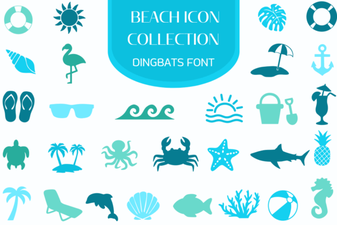 Your Beach Font Collection: Design Ideas & Inspiration
 Ocean Line Art Fonts for Creative Projects
 Smoothie Delights Font: a Fresh Design Resource
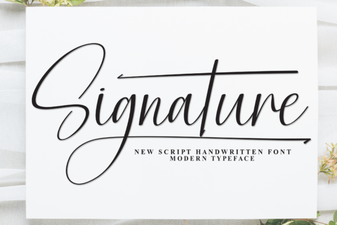 Signature Fonts to Elevate Your Creative Projects
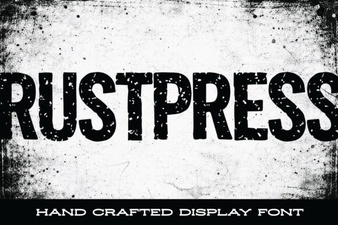 Rustpress Font: Creative Design Ideas for Your Projects
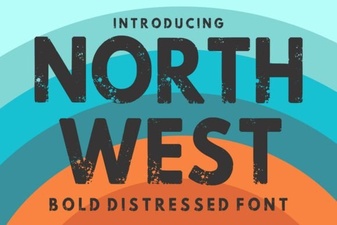 North West Font Inspiration for Design Projects